Concord, Massachusetts
How guests and AI assistants find Concord's Colonial Inn
Prepared by Ethan Hawkes · checked 30 October 2026 (12:18 pm ET) · PDF copy
The short version. Every Book button on your home page carries a Google Analytics tracking code frozen in September 2024. It still opens the booking engine, but the link hands every guest the same 2024 analytics session, which can blur your direct-booking reports.
What we checked
- Your home page and contact page, fetched signed out
- Your robots.txt and sitemap
- The structured data (JSON-LD) that search engines and AI assistants read from your home page
- Every finding below is quoted exactly, with the page it came from and the time it was fetched
What we found on your site
Book links carry a 2024 tracking code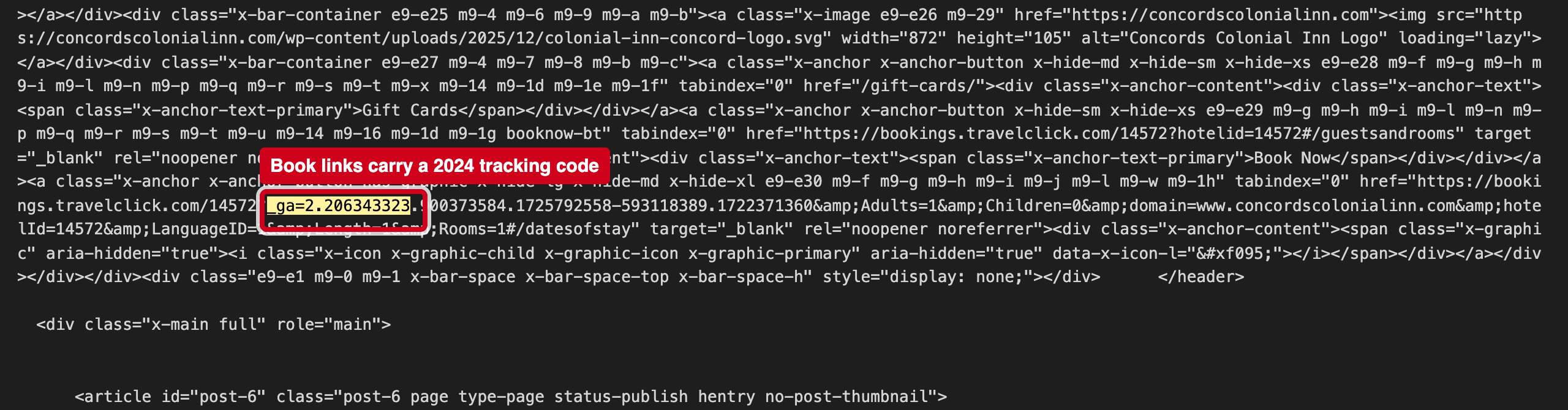
“https://bookings.travelclick.com/14572?_ga=2.206343323.900373584.1725792558-593118389.1722371360&...”
Source: https://concordscolonialinn.com/, fetched 2026-10-30 12:18 ET
The number 1725792558 in the _ga parameter is a timestamp: 8 September 2024. Someone copied a link from their own browser session into the site.
Why it matters
Your booking engine reports direct bookings by source. A hard-coded _ga value can make guests who click Book look like the same 2024 visitor, which blurs which marketing actually drives direct bookings.
3 fixes, ranked
- Remove the _ga= part from every Book link.Link to https://bookings.travelclick.com/14572 with only the parameters you need. Analytics adds its own tracking when a guest clicks.Web · 30 minutes
- Turn on cross-domain tracking properly.If you want to follow guests from the site into TravelClick, set it up in Google Analytics (cross-domain measurement) rather than pasting a session into the links.Marketing / web · 1–2 hours
- Check other pages and emails for copied links.Search packages, weddings and email templates for "_ga=2." and clean them the same way.Marketing · 1 hour
If it's useful, I'd welcome 20 minutes to compare notes on how guests are finding independent hotels now. — Ethan Hawkes, Signalry